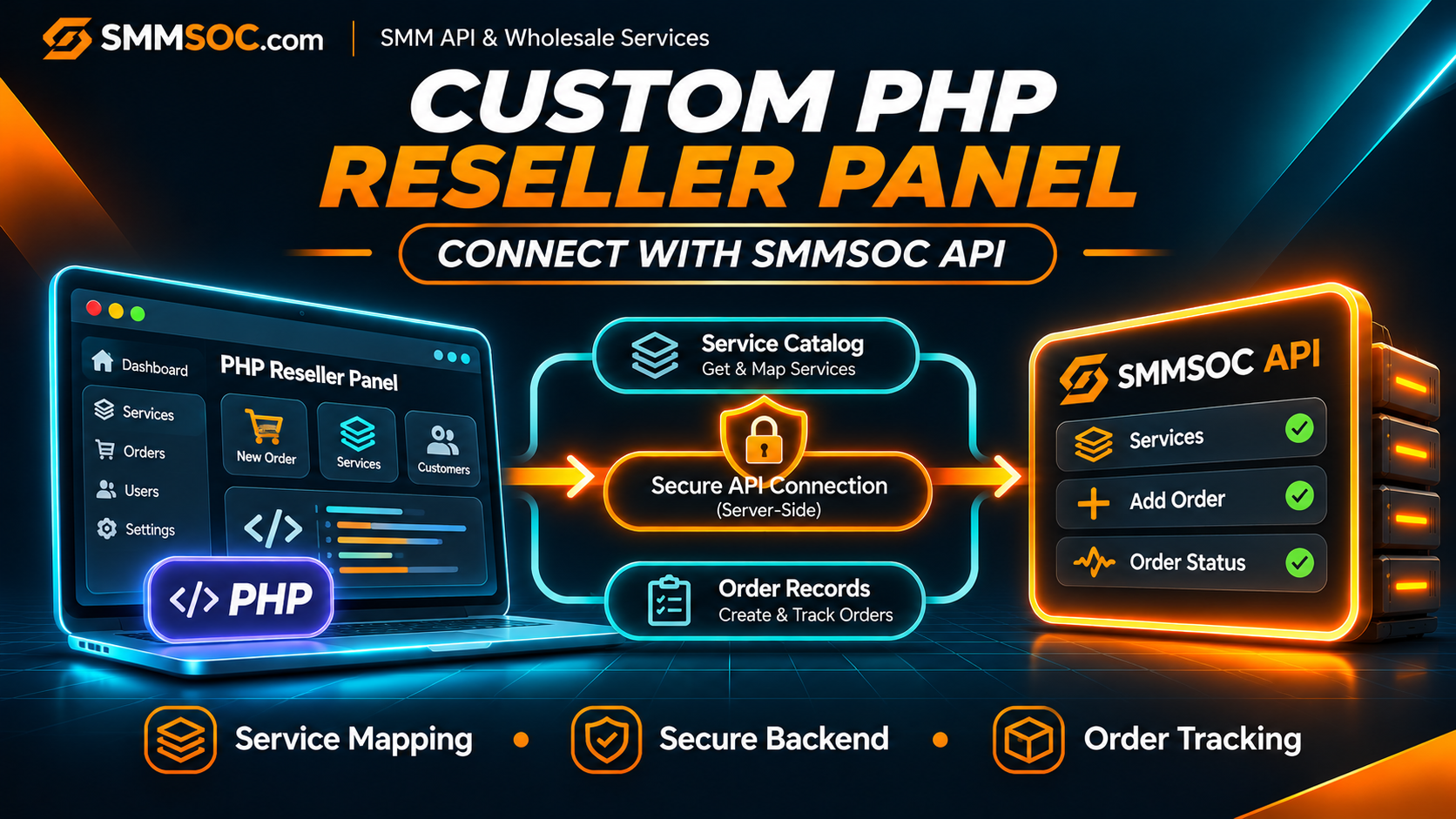
How to Connect SMMSOC API to a Custom PHP Reseller Panel
You already have a working reseller website. Your customers can register, browse products, place orders, and check their account history.
Perhaps you built the application in plain PHP, Laravel, or CodeIgniter. Maybe your developer created a custom backend because existing reseller platforms did not offer the flexibility your business needed.
Now you want to connect an additional wholesale supplier without rebuilding the application.
SMMSOC API can be evaluated as a supplier connection for a custom PHP reseller panel. Its documented interface provides access to service information, supported order submission, order-status inquiries, and account balance information.
The challenge is not simply making an HTTP request. It is connecting the supplier to your existing application without disrupting customer records, pricing, payments, or order tracking.
This guide focuses on that specific situation: an established PHP reseller business preparing to integrate SMMSOC into its existing software.
Quick answer: To connect SMMSOC API to a custom PHP reseller panel, keep the API credentials on your server, create a dedicated supplier connection in your backend, map your internal products to SMMSOC Service IDs, verify the service and balance endpoints, and connect approved orders to the provider through a controlled submission process. Preserve both internal and supplier order identifiers so customer orders remain traceable.
You can register with SMMSOC and review the official API documentation before making changes to your application.
Can a Custom PHP SMM Panel Connect to SMMSOC?
A reseller application written in PHP can communicate with an external HTTP API when it has the necessary backend functionality and a compatible server environment.
SMMSOC publishes a documented API endpoint:
https://smmsoc.com/api/v2
The interface uses HTTP POST requests, API-key authentication, and JSON responses.
PHP applications can communicate with HTTP APIs through server-side HTTP clients, including cURL or compatible framework libraries.
You do not necessarily need to change your website's frontend, customer registration system, or database structure completely.
However, SMMSOC does not publicly document a dedicated plug-and-play PHP package for every custom reseller script. The integration must be adapted to the application you operate.
For example, a Laravel-based panel may have a separate service class for communicating with suppliers. A plain PHP application might use a dedicated backend API client and database queries.
Both approaches can work, but their implementation details are different.
The important requirement is that your application can securely authenticate requests, validate supplier responses, and preserve accurate customer order records.
Why Existing PHP Reseller Businesses Consider Another API Supplier
A custom reseller website gives its owner control over the storefront and internal business logic.
That does not mean every service must come from the same supplier.
Your business may already handle customer registrations, payments, internal balances, and support requests independently.
What you need from a wholesale supplier is a compatible way to access appropriate service listings and perform supported order operations.
A new supplier connection may be worth evaluating when you want to:
- Add service categories that suit your existing customer base.
- Compare available wholesale rates for specific products.
- Connect another source without replacing your website.
- Maintain your own order-management interface.
- Use a documented API instead of manual supplier order entry.
- Keep control of customer-facing pricing and administrative records.
These are possible reasons to consider a supplier, not guarantees that every service or integration will meet your requirements.
Before deciding, check the actual SMMSOC service conditions, API compatibility, account terms, and applicable social media platform policies.
Step 1: Review Your Existing PHP Application
Before writing any integration logic, identify how your current reseller panel handles orders.
In most established applications, the supplier connection is only one part of a much larger process.
Your PHP application may already contain separate modules for:
Customer accounts: Registration, login, permissions, and account balances.
Service catalog: Products, categories, descriptions, quantities, and prices.
Checkout: Validation, payment confirmation, and internal order creation.
Supplier processing: Sending approved orders to an external provider.
Order management: Status checks, history, support requests, and adjustments.
Your developer should identify where supplier requests belong in this structure.
For example, if your checkout controller currently performs customer validation and payment checks, the SMMSOC integration should not bypass that logic.
Instead, the provider connection should receive requests only after your existing application has approved the transaction.
Keep the Existing Customer System
Your customers do not need to know every detail of your wholesale supplier configuration.
They should continue interacting with your own website, account system, and customer-facing prices.
The provider API should operate through your backend.
This separation gives you more control over service mapping and avoids exposing wholesale credentials to customers.
Step 2: Decide Where the SMMSOC Connection Belongs
A practical PHP application should keep supplier communication separate from the storefront.
Avoid scattering external API requests throughout unrelated controllers, templates, and customer-facing pages.
Instead, establish a dedicated supplier integration layer.
Its responsibilities should include:
- Authentication with the provider.
- Retrieving supported service information.
- Sending approved requests.
- Validating returned data.
- Recording supplier order identifiers.
- Communicating relevant errors to the internal application.
This is a suggested software design, not a feature automatically created by the SMMSOC API.
Plain PHP Applications
A custom application built without a framework can use a dedicated server-side component for supplier communication.
Your checkout process calls that component after validating an order.
The component contacts SMMSOC and returns a structured result to your application.
Laravel Applications
A Laravel project can use a dedicated service class and its supported HTTP client.
The application can keep provider configuration outside public-facing code and use appropriate background jobs for operations that should not block a page request.
Laravel itself does not provide a preconfigured SMMSOC integration. Your developer must implement the relevant business logic.
CodeIgniter Applications
A CodeIgniter-based reseller panel can place supplier communication in an appropriate service or library component.
The controller should coordinate the business workflow rather than directly manage every external request.
In all three cases, the integration should maintain the same fundamental boundary:
Customer request → PHP reseller backend → validated supplier operation
Step 3: Create an SMMSOC Account and Review API Access
Visit SMMSOC registration if you do not already have an account.
After signing in, review the relevant account features and API documentation.
The published SMMSOC API supports operations such as:
services — Retrieve available service information.
add — Create a supported order.
status — Request information about an existing supplier order.
balance — Retrieve account balance information.
refill — Submit a supported refill request where eligible.
refill_status — Check an eligible refill request.
cancel — Request cancellation where supported.
These actions use an API key and the parameters required for the selected operation.
Not every service supports identical order inputs or guarantees.
Review the current SMMSOC API reference rather than assuming every listing can be ordered with the same fields.
Store Credentials Securely
Your SMMSOC API key should remain on the PHP server.
Do not place it inside:
- Public JavaScript files.
- HTML templates.
- Frontend API requests.
- Customer account pages.
- Public repositories.
- Error messages sent to users.
A protected server environment or an appropriate secrets-management system is preferable to exposing credentials in application code.
Restrict access so only authorized server processes and administrators can use the supplier connection.
Step 4: Test the Connection With Read-Only Requests
Before enabling supplier purchases, verify the connection using an operation that does not create a paid order.
For SMMSOC, the services action is a useful starting point.
It can return information about available listings, including Service IDs, names, categories, rates, quantity limits, and relevant service flags.
Your developer should confirm that the PHP backend:
- Uses the correct SMMSOC API endpoint.
- Sends the documented POST parameters.
- Loads the API key from secure server configuration.
- Receives and decodes the JSON response.
- Handles unexpected or unsuccessful responses appropriately.
An account balance inquiry can provide another supported read-only check.
What a Successful Connection Actually Proves
A successful service-list response confirms that the particular request worked.
It does not automatically prove that every service is available, every input format is supported, or future paid orders will be accepted.
You still need to evaluate the selected services and the order workflow separately.
Avoid repeatedly creating paid orders just to establish that the API endpoint is reachable.
Step 5: Connect SMMSOC Service IDs to Your Existing Products
This is where an existing reseller application differs from a new installation.
You may already have customer-facing products with their own internal IDs, descriptions, categories, and prices.
These products should not be confused with supplier-specific service records.
For instance, your website might use an internal product identifier that never changes.
SMMSOC maintains a separate Service ID for the corresponding supplier listing.
Your backend needs a reliable association between those records.
What Should the Product Mapping Store?
For each product you intend to connect to SMMSOC, record:
Internal Product ID: Your own customer-facing product identifier.
Supplier: SMMSOC.
Supplier Service ID: The actual SMMSOC Service ID.
Service Configuration: Required inputs and quantity limits.
Current Supplier Rate: The latest rate relevant to that product.
Routing Status: Whether new orders may currently be submitted to that supplier.
This design is particularly useful if your application supports more than one provider.
A Service ID from another supplier should never be assumed to refer to the same service at SMMSOC.
Validate Before Publishing
Compare the required input format, minimum and maximum quantities, current pricing, and any applicable refill or cancellation conditions.
Do not substitute one service for another based only on similar names.
If a listing has materially different conditions, describe those differences accurately in your own catalog.
Step 6: Keep Customer Pricing Separate From Wholesale Rates
Your PHP reseller panel may already calculate customer prices using its own rules.
The SMMSOC API provides supplier-side service information, while your website determines its own customer-facing pricing.
Keep these responsibilities separate.
Before activating a product, confirm that your current selling price reflects the relevant wholesale cost and other business expenses.
Consider payment processing, currency differences, operational costs, and possible order adjustments.
Avoid Hardcoded Supplier Prices
A supplier's rate may change.
Your application should not assume that a rate retrieved during the first integration test remains valid indefinitely.
Establish an appropriate process for reviewing current provider information and deciding when customer-facing product details require updates.
The exact synchronization schedule should depend on the capabilities of your software and the relevant API requirements.
For a broader explanation of pricing decisions, see our SMM Reseller Pricing and Profit Margins Guide.
Step 7: Connect the Existing Checkout to Supplier Order Creation
A PHP reseller platform usually has its own checkout process.
That process should remain responsible for verifying whether an order can proceed.
Before submitting a supplier purchase, your application should establish that:
- The customer is authorized to place the order.
- The selected product exists and is available.
- The required link or target format is valid.
- The quantity meets the selected service's limits.
- The customer's payment or internal balance has been confirmed.
- The order has not already been submitted.
Only then should the backend prepare the relevant SMMSOC API request.
For standard quantity-based orders, the documented add action uses parameters that can include the service identifier, target link, and quantity.
Some other service types require different or additional information.
Preserve the Provider Order ID
When a supplier accepts an order, it may return a supplier order identifier.
Your PHP application should save that value alongside its own internal customer order ID.
This creates a traceable relationship between the customer transaction and the corresponding supplier request.
An internal order numbered 5001 does not necessarily have the same identifier at SMMSOC.
Never assume that the identifiers are interchangeable.
Keep Accepted and Completed Separate
An accepted API order is not automatically a completed service.
Your customer dashboard should reflect confirmed processing information rather than marking an order as delivered immediately after the supplier accepts it.
Step 8: Prepare the PHP Application for Uncertain Submissions
One of the most important backend design issues involves requests whose outcomes are unknown.
Imagine your application sends a paid order to SMMSOC.
The supplier may receive and accept the request, but the network connection times out before your application receives the response.
The PHP backend now lacks confirmation.
A dangerous response would be to automatically send the same purchase again.
The original request may already have created an order.
Use a Local Order State for Uncertain Results
Your application should distinguish between:
Not Submitted: The request has not been sent to the supplier.
Submitting: The supplier request is currently being processed.
Accepted: The supplier has returned a confirmed order identifier.
Rejected: The supplier has definitively rejected the request.
Unknown: Your backend cannot determine whether the supplier accepted the request.
These are suggested internal application states, not the official SMMSOC order-status labels.
An Unknown result should trigger investigation rather than an immediate second paid submission.
Use database constraints or appropriate locking to prevent two PHP workers from processing the same approved internal purchase simultaneously.
Do not assume SMMSOC supports a provider-side idempotency key unless that capability is explicitly documented.
Step 9: Connect Supplier Statuses to Your Existing Order Dashboard
Once your PHP application has submitted supported orders, it needs a way to monitor their progress.
SMMSOC documents the status action for retrieving supplier order information.
The response can include the current order status, charge, starting count, remaining quantity, and currency.
Your backend should use the supplier order ID previously stored for that transaction.
Do not send your reseller's internal customer order ID unless it is actually the identifier returned by SMMSOC.
Preserve Accurate Customer Information
If an order is Pending, do not display it as Completed.
If the supplier reports Partial, preserve that information rather than treating it as full completion.
Where the service supports cancellation or refill requests, keep those operations separate from the original order's fulfillment status.
For more detail, read our SMM Panel Order Status Guide.
Use Background Workers Carefully
Depending on your architecture, status synchronization may be handled by scheduled PHP jobs or a framework's background worker system.
Avoid making excessive requests whenever a customer refreshes an order page.
Your developer should select an appropriate monitoring process based on your order volume, provider capabilities, and applicable request restrictions.
A batch status interface is documented by SMMSOC, but its use should still follow the published parameter limits and inspect individual results correctly.
Step 10: Prepare a Production Launch Checklist
Before routing live customer purchases through the new connection, complete a practical launch review.
Server and Security
- PHP backend can connect to the API over HTTPS.
- TLS certificate verification remains enabled.
- API credentials are stored outside public files.
- Only authorized administrators can change supplier configuration.
- Logs do not expose private credentials.
Service Catalog
- Internal products map to correct SMMSOC Service IDs.
- Required inputs and quantity limits are checked.
- Current supplier pricing has been reviewed.
- Customer-facing service descriptions reflect actual conditions.
Order Processing
- Customer payment validation happens before the supplier request.
- Each approved internal order can be submitted only once concurrently.
- Confirmed supplier order IDs are stored.
- Uncertain submissions are flagged for investigation.
- Status updates use the correct provider-specific order ID.
Administration
- Staff can identify which supplier accepted an order.
- Unexpected API responses are logged safely.
- Account balance information is restricted to authorized staff.
- The new connection can be paused for future orders when necessary.
This checklist is directly usable by a developer reviewing an existing PHP reseller application. It does not require a frontend plugin or Custom Header Code.
Common Integration Decisions for PHP Panel Owners
Should You Replace Your Existing Supplier Module?
Not necessarily.
If your application already separates suppliers from customer-facing products, adding SMMSOC as another provider entry may be appropriate.
If your application assumes there can only be one supplier, the backend may require changes before additional provider connections are supported.
Should You Change Your Entire Database?
A complete database replacement is not inherently required.
Your developer should inspect the existing schema and identify whether supplier IDs, product mappings, and external order IDs are already stored separately.
Make only the changes needed to preserve accurate supplier relationships.
Back up the relevant records before modifying a production system.
Should You Let Customers Select the Supplier?
Usually, this is a business design decision rather than an API requirement.
Many reseller websites expose the customer-facing product while the backend selects the configured supplier.
Whatever model you use, avoid misleading customers about product characteristics and conditions.
Can You Use SMMSOC Alongside Another API?
A custom application can be designed to maintain multiple providers, but it must have appropriate data models and routing controls.
Adding the SMMSOC connection does not automatically establish intelligent fallback or automatic failover.
Already accepted orders must remain associated with the supplier that received them.
Why Evaluate SMMSOC for Your Custom PHP Panel?
If you operate your own PHP reseller platform, you likely want to retain control over the parts of the business you have already built.
You may not want to replace the storefront, migrate customers, or rewrite your payment system simply to test another supplier.
SMMSOC provides a documented interface for supported service retrieval, order creation, status inquiries, and related provider operations.
That makes it possible to evaluate compatibility with an existing backend.
Before choosing the connection, review the specific services, current costs, required API operations, support process, and relevant restrictions.
Create an SMMSOC Account to begin reviewing the platform.
You can also consult the SMMSOC API documentation with your PHP developer to determine which features your application can support.
Frequently Asked Questions
Can I connect SMMSOC API to an existing PHP reseller website?
Yes, a compatible PHP backend can communicate with the documented SMMSOC API. Your application must implement authentication, request handling, service mapping, and order-record management.
Does SMMSOC have a ready-made PHP reseller script?
The public API documentation describes supported API operations but does not establish that SMMSOC provides a ready-made PHP reseller application or a universal installation package.
Can I use SMMSOC API with Laravel?
Laravel applications can communicate with HTTP APIs through server-side clients. The developer must implement the SMMSOC-specific connection and the required reseller business logic.
Does the integration work with CodeIgniter?
A CodeIgniter application can be designed to connect to the SMMSOC API. Compatibility depends on its existing architecture and the integration work completed by the developer.
Do I need to change my website design?
Not necessarily. If your current reseller application supports an external supplier integration, changes can often remain within the backend and administrative configuration.
What is the official SMMSOC API endpoint?
The documented endpoint is https://smmsoc.com/api/v2, using HTTP POST and JSON responses.
Can my PHP panel retrieve SMMSOC services?
The published API includes a services action for retrieving available service information.
Can the integration submit customer orders?
The SMMSOC API documents an add action for supported orders. Your backend must validate the customer request and provide the correct service-specific parameters before submission.
Does SMMSOC automatically manage my customers and payments?
No. Your PHP reseller application remains responsible for its customer accounts, customer-facing payments, pricing rules, and internal order records.
Can I connect SMMSOC without removing my current provider?
Potentially, yes. The PHP application must support multiple suppliers and preserve separate provider-specific mappings and order identifiers.
What if an API order submission times out?
Do not automatically send the paid order again. The original request may have been accepted. Preserve the uncertain state and investigate the supplier outcome before retrying.
Can API integration guarantee delivery or business growth?
No. API connectivity supports software communication, not guaranteed fulfillment, permanent engagement, or sales results. Individual service conditions and platform policies still apply.
Connect Your PHP Reseller Business to SMMSOC
A custom reseller website gives you control over your customer experience and business processes.
You should not have to rebuild that entire application merely to evaluate an additional wholesale supplier.
The practical starting point is to review your PHP backend, confirm the documented SMMSOC API operations, and create a supplier connection that respects your existing database and order-management rules.
Start with read-only connection checks.
Map a carefully selected set of eligible products.
Preserve internal and external order identifiers.
Only enable paid order routing after your payment validation, duplicate prevention, and operational monitoring processes have been checked.
If SMMSOC's current catalog and API capabilities fit your requirements, it can be evaluated as a supplier for your existing reseller business.
Review the Official SMMSOC API
Explore the General SMM API Integration Guide
Keep your existing PHP platform, protect your customer records, and connect supplier operations through a backend workflow you control.