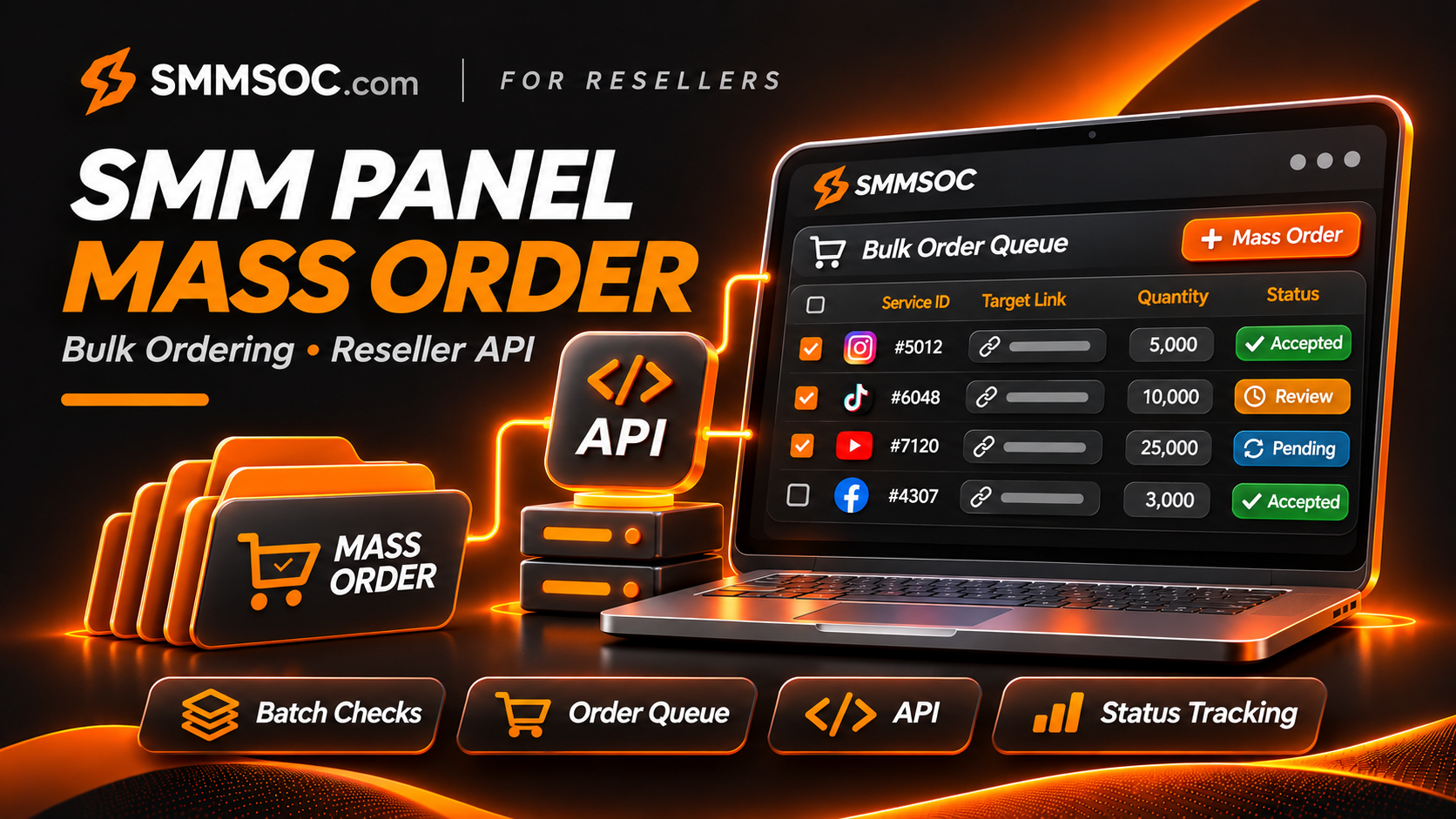
SMM Panel Mass Order: Bulk Ordering & Reseller API Guide with SMMSOC
Placing a few orders individually is manageable. Processing dozens of requests across multiple customer accounts is a different operational challenge.
For an established SMM reseller, repeatedly selecting services, entering links, checking quantities, and submitting individual requests can create unnecessary administrative work.
This is where a SMM panel Mass Order feature becomes relevant.
SMMSOC lists Mass Order among its available panel features, alongside reseller API integration and other order-management capabilities.
But bulk ordering is not simply about submitting more requests at once. It requires accurate service selection, cost verification, duplicate-order checks, and clear records of what the supplier actually accepted.
In this guide, we'll explain how Mass Order fits into SMMSOC, when resellers should consider it instead of API integration, and how to organize multiple orders without creating avoidable mistakes.
What Is Mass Order in an SMM Panel?
Mass Order is a panel feature designed to handle multiple service requests through a combined ordering workflow.
Instead of repeating the entire ordering process for every request, users can prepare several entries and submit them through the supported interface.
The exact entry format varies by panel.
Typically, a mass-order workflow revolves around three essential details:
- The service selected for each request
- The destination link or target
- The requested quantity
Additional fields may be necessary depending on the service type.
The main purpose is to make the process of handling multiple requests more manageable.
However, Mass Order does not automatically mean lower wholesale prices, guaranteed fulfillment, or eligibility for every service.
Those conditions must be verified separately.
Does SMMSOC Support Mass Order?
Yes. The official SMMSOC website identifies Mass Order as one of its panel features.
SMMSOC also provides a documented API that reseller businesses can use for supported order-management operations.
These two capabilities are relevant to different working styles.
Mass Order is useful to evaluate when an operator wants to prepare several requests through the dashboard.
API integration is more appropriate when an existing reseller system needs to exchange supplier information programmatically.
Accessing Mass Order on SMMSOC
To evaluate the feature:
- Visit SMMSOC and access your account.
- Locate the available Mass Order interface.
- Review its current input instructions and supported fields.
- Identify the services appropriate for your requests.
- Validate your entries before submitting them.
- Review the results and save the accepted order references.
The precise Mass Order input format is not established by the public API documentation. Always follow the instructions shown in your actual SMMSOC account rather than copying an unverified format from another panel.
What You Should Verify First
Before preparing several orders, review the relevant service descriptions.
Confirm that the requested service is available, the target is eligible, the quantity is within its accepted range, and the activity is permitted by the destination platform.
SMMSOC's published terms place responsibility for accurate order details on the customer.
That requirement becomes particularly important when multiple entries are involved.
Why Existing SMM Resellers Use Bulk Ordering
Reseller businesses often manage several customer requests during the same operating period.
For example, an agency may receive separate requests involving Instagram, TikTok, YouTube, and other platforms.
Each request may have a different service ID, quantity, and destination.
When these requests must be managed individually, the administrative workload increases.
Less Repetitive Data Entry
A supported Mass Order workflow can reduce the need to repeat certain navigation and submission steps.
This benefit is especially relevant when an operator already has a prepared list of valid orders.
More Organized Order Preparation
Working from a structured list makes it easier to review which services, quantities, and targets have been selected.
However, organization depends on the operator's own preparation process.
A bulk interface does not automatically correct mistakes in the supplied data.
Practical for Agencies Handling Multiple Clients
An agency may manage independent projects for different clients.
Keeping order details organized before submission can reduce confusion between customer requests.
The reseller should still preserve a separate internal customer reference for each order.
Useful Without a Custom API Integration
A business may not yet have a backend capable of making automated supplier requests.
For that business, a dashboard-based Mass Order feature can be a practical option to evaluate.
API integration becomes more important when orders originate automatically from another website or application.
Mass Order vs. Manual Orders vs. Reseller API
These three workflows address different operational needs.
A reseller should choose based on the number of requests, the availability of technical resources, and the level of automation required.
Choosing the Right SMMSOC Ordering Workflow
Mass Order and API integration are not interchangeable.
A dashboard workflow handles orders initiated through the panel interface.
An API allows compatible external software to communicate directly with the supplier.
An established reseller may use both, depending on the situation.
When Individual Ordering Makes Sense
An occasional request may not justify preparing a larger batch.
Individual ordering can also be useful when a service has unusual requirements that need closer attention.
When Mass Order Makes Sense
Mass Order becomes relevant when an operator already has multiple valid requests ready for review.
Its value comes from consolidating the ordering workflow, not automatically changing the service prices.
When API Integration Makes Sense
An API is typically preferable when an existing reseller website automatically receives customer orders.
The reseller's backend can retrieve service information, validate requests, submit supported orders, and check supplier statuses.
SMMSOC documents these operations through its API.
For technical implementation, see the SMMSOC API Integration Guide.
How to Prepare a Bulk Order List Correctly
The quality of a bulk-order workflow depends on the quality of the data entered.
A simple internal preparation process can prevent many avoidable issues.
1. Identify Each Service Precisely
Do not rely only on the service category.
Two listings may have similar names but different rates, quantity ranges, or conditions.
Record the exact supplier service ID for each intended request.
2. Validate Every Destination
Check that each link refers to the intended account, Page, post, video, or other supported destination.
Ensure that the service explicitly supports the relevant URL format.
A valid-looking link is not necessarily eligible for every service.
3. Verify Quantity Limits
SMMSOC's API service list documents min and max fields for service quantities.
These fields provide useful reference information when reviewing available listings.
However, additional service-specific restrictions may apply.
4. Check Existing Active Orders
Before submitting another request for the same destination, review whether a previous order is still active.
SMMSOC's published terms restrict overlapping use of multiple services or panels for the same link.
Submitting duplicate or conflicting requests can create tracking problems and affect eligibility for certain protections.
5. Review the Current Cost
A service's price may have changed since the request was prepared.
Check the current rate rather than relying on an old spreadsheet or historical catalog snapshot.
6. Maintain Customer References
If you operate a reseller business, keep a separate record connecting each customer request to the corresponding supplier order.
This makes support and reconciliation easier after submission.
SMMSOC Bulk Order Pre-Submission Checklist
The following table is designed for reseller operators preparing a group of requests.
Bulk Order Validation Checklist
This checklist is an operational recommendation, not a claim that SMMSOC automatically performs every listed check.
A good process combines the information available from the supplier with the reseller's own validation rules.
How to Estimate the Cost of Multiple SMM Orders
When preparing a batch, resellers should consider the total supplier cost rather than focusing only on each individual price.
For a standard quantity-based service quoted per 1,000 units:
Estimated cost per order = Quantity × Supplier rate ÷ 1,000
The expected cost of a batch is then the sum of the individual estimated costs.
Consider three hypothetical requests:
- An order for 2,500 units at $0.40 per 1,000: $1.00
- An order for 400 units at $0.80 per 1,000: $0.32
- An order for 1,200 units at $2.50 per 1,000: $3.00
The estimated total is:
$1.00 + $0.32 + $3.00 = $4.32
These figures are illustrative and are not live SMMSOC service quotations.
The calculation assumes standard per-1,000 pricing, without additional fees or special pricing rules.
Package services or other configurations may use different charging methods.
Does Mass Order Provide a Discount?
Not automatically.
Mass Order describes an ordering workflow.
It does not establish that SMMSOC applies a discount simply because several requests are submitted together.
Any pricing advantage should be verified from the current supplier rates or a clearly documented account-specific offer.
Why Balance Matters
Even a correctly prepared batch may encounter problems when the supplier account has insufficient credit.
SMMSOC's API documents a balance action that returns the account's reported balance and currency.
Existing reseller applications can use this information when planning their own order-submission workflows.
Read the SMMSOC Minimum Deposit Guide for the difference between account funding and individual service order requirements.
How SMMSOC API Ordering Differs From Mass Order
SMMSOC's API is available at:
https://smmsoc.com/api/v2
The documented interface uses HTTP POST requests, an API key, and JSON responses.
It supports several order-related operations.
Creating an Order Through the API
The standard documented operation for creating an order uses:
action=add
The request includes the relevant service and target information, along with any required service-specific parameters.
A successful response can return a supplier order ID.
The reseller should save that ID alongside its own customer order reference.
Does the API Have a Separate Mass-Order Creation Action?
The publicly available SMMSOC API documentation describes standard order creation through add.
It does not establish a dedicated API operation that creates an entire group of new orders in one request.
An external reseller system can manage multiple supported order submissions, but that is different from claiming an undocumented batch-creation endpoint exists.
This distinction matters when comparing the dashboard Mass Order feature with API automation.
Checking Multiple Order Statuses
SMMSOC documents a separate capability for checking existing orders.
The status action accepts up to 100 comma-separated order IDs in a multiple-order status request.
This allows a reseller to retrieve information about several previously created orders in one API call.
For example, a reseller backend may maintain a list of supplier order references and periodically check their current states.
The 100-order limit applies to the documented batch status request, not to creating 100 new orders at once.
Understanding Mixed Responses
A multiple-order status response may include valid information for some order IDs and errors for others.
An incorrect order ID does not necessarily invalidate every other result.
The reseller's backend should inspect each returned entry individually.
For an explanation of order states, read the SMMSOC Order Status Guide.
How to Manage Orders After a Bulk Submission
Submitting several requests is only the first part of an order-management process.
A reseller must also identify which requests were accepted and track their individual outcomes.
Save Every Accepted Order ID
Each accepted supplier order should have its own reference.
Do not assume that a single bulk submission results in one universal order status.
The exact output of the dashboard workflow should be reviewed in the current account interface.
Separate Failed Requests From Accepted Requests
A group of requests may not have identical outcomes.
If one request is rejected, preserve the accepted entries and investigate the rejected one separately.
Avoid submitting the entire group again without checking which orders already exist.
Do Not Retry Uncertain Requests Blindly
A network timeout or interrupted page does not prove that the supplier received no order.
If the result is uncertain, investigate the order history or contact support before repeating the request.
A duplicate can create an additional charge and complicate fulfillment records.
Monitor Order Progress
Resellers using the API can retrieve supported order statuses.
For dashboard-managed orders, use the available account order-history and status tools.
Statuses should be interpreted according to the actual supplier record.
Keep Customer Communication Accurate
Do not tell a customer that an order has been completed merely because the supplier accepted the submission.
Acceptance, processing, and completion are different events.
If several requests were submitted together, each customer should receive information corresponding to the correct order.
Common Mass Order Mistakes Resellers Should Avoid
1. Using an Incorrect Service ID
A single incorrect ID can select the wrong service or cause a request to fail.
Always confirm the current listing.
2. Copying an Unsupported Input Format
Different SMM panels may use different Mass Order entry rules.
A generic format found elsewhere should not be treated as SMMSOC's official format unless the account interface confirms it.
3. Mixing Up Customer Links
When multiple requests are prepared together, it becomes easier to associate a quantity or service with the wrong destination.
Review every entry before submission.
4. Ignoring Minimum and Maximum Quantities
A rate per 1,000 units does not establish that every quantity is accepted.
Service-specific limits still apply.
5. Overlapping Orders for the Same Link
A previous request may still be active.
SMMSOC's terms include restrictions involving multiple services or panels for the same link.
Review existing activity before submitting another request.
6. Assuming Bulk Means Cheaper
Mass Order does not automatically provide a volume discount.
Compare the actual published rates.
7. Treating Submitted Orders as Completed
A submitted request can remain pending, processing, or otherwise unresolved.
Always review the supplier's actual status information.
8. Repeating an Entire Batch After an Error
An uncertain submission may have been partially accepted.
Investigate before retrying to avoid duplicates.
Mass Order and Drip-Feed Are Not the Same
SMMSOC advertises both Mass Order and Drip-feed.
They are related to order management but address different requirements.
Mass Order concerns preparing and submitting multiple individual requests through a supported workflow.
Drip-feed concerns configuring repeated scheduled runs for a compatible service.
For instance, a reseller may have several unrelated customer requests. A Mass Order workflow may be relevant to organizing those requests.
A drip-feed configuration, on the other hand, involves scheduling parameters for one supported order.
The SMMSOC API documents optional runs and interval parameters for applicable service configurations.
Do not assume that every service supports drip-feed or that a Mass Order interface automatically accepts scheduling instructions.
Can Agencies Use SMMSOC for High-Volume Order Management?
SMMSOC provides a combination of service listings, Mass Order functionality, and documented API operations that existing resellers and agencies can evaluate.
The appropriate workflow depends on the business's technical setup.
Agencies Working Through a Dashboard
An agency whose staff prepares requests manually may find a dashboard-based Mass Order feature relevant.
The main requirement is accurate preparation and careful review before submission.
Resellers With Their Own Websites
A reseller operating a separate storefront may prefer to connect its backend through SMMSOC's API.
This allows supported supplier information and order-management operations to be integrated into its existing software.
Businesses Using Both Workflows
An established reseller may use API integration for routine automated operations while retaining dashboard tools for supported administrative tasks.
The workflows can complement each other.
However, neither method guarantees fulfillment speed, authenticity, account eligibility, or unrestricted order volumes.
Why Evaluate SMMSOC for Bulk SMM Operations?
An existing reseller needs more than a large service list.
It also needs an ordering workflow that fits the way the business operates.
SMMSOC brings together several relevant capabilities:
- A multi-platform service catalog
- Published service IDs and rates
- Mass Order functionality
- Reseller API integration
- Individual order-status inquiries
- Multiple-order status requests
- Account balance inquiries
- Supported refill and cancellation request operations
These features make SMMSOC worth evaluating for businesses that manage multiple customers or operate existing reseller systems.
The exact service terms, available quantities, and permitted fulfillment methods still require verification.
For reseller businesses exploring additional supplier categories, see Wholesale SMM Services for Resellers.
Platform Rules and Responsible Ordering
Bulk submission does not make an activity acceptable if the underlying service violates a social platform's rules.
Platforms may restrict fake engagement, artificial metric inflation, and other forms of inauthentic activity.
Dividing requests into multiple orders or using a dashboard shortcut does not change those restrictions.
Businesses should review the fulfillment method, customer authorization, and relevant platform policies before using any third-party service.
SMMSOC's own Terms of Service also describe important conditions involving order accuracy, overlapping requests, delivery estimates, and cancellation eligibility.
These conditions should be reviewed before placing orders.
Frequently Asked Questions
What is Mass Order in an SMM panel?
Mass Order is a feature for preparing multiple service requests through a combined ordering workflow instead of completing the entire process separately for each request.
Does SMMSOC have a Mass Order feature?
Yes. SMMSOC identifies Mass Order among the features available on its platform.
Is Mass Order the same as API integration?
No. Mass Order is a dashboard-oriented workflow, while API integration allows compatible external software to communicate with a supplier programmatically.
Does Mass Order make services cheaper?
Not automatically. A bulk ordering interface does not establish a discount. Current pricing and any applicable offers must be verified independently.
Can SMMSOC check 100 orders through its API?
The documented multiple-order status operation supports up to 100 comma-separated order IDs per request.
Can the SMMSOC API create 100 orders in one request?
The public API documentation does not establish a dedicated 100-order creation operation. The documented add action creates a supported order, while the 100-ID batch capability relates to status inquiries and certain other request types.
Can I use Mass Order with different social platforms?
SMMSOC provides services across multiple social platforms. The services and input formats supported by the current Mass Order interface must be checked in the account.
What happens if one order in a batch fails?
Each request should be reconciled against the actual result. Do not assume that every other entry failed or succeeded without checking.
Is Mass Order suitable for API resellers?
It can be useful as a dashboard option, but businesses operating automated storefronts may benefit more directly from a supported API integration.
Does Mass Order guarantee faster delivery?
No. Mass Order can simplify submission, but actual processing depends on the selected service and supplier conditions.
Final Thoughts: Organize Bulk Orders With SMMSOC
A practical bulk-order workflow should improve organization without sacrificing accuracy.
For established SMM resellers, that means selecting the correct services, reviewing destination links, checking quantities and rates, avoiding overlapping requests, and preserving supplier order references.
SMMSOC offers Mass Order functionality alongside its documented reseller API, giving businesses different ways to evaluate supplier order management.
An agency preparing several requests manually may prefer the dashboard workflow.
A reseller operating an automated website may benefit from the API's supported operations.
The important decision is not simply how to submit more orders. It is how to manage those orders accurately and responsibly.
Explore the current service catalog, review the available ordering tools, and choose the workflow that fits your business.
Review SMMSOC API Documentation
Research references: SMMSOC official homepage, API documentation, Terms of Service, and existing SMMSOC reseller guides. All numerical cost examples are hypothetical. The precise logged-in Mass Order input format and live submission behavior were not independently tested for this article.