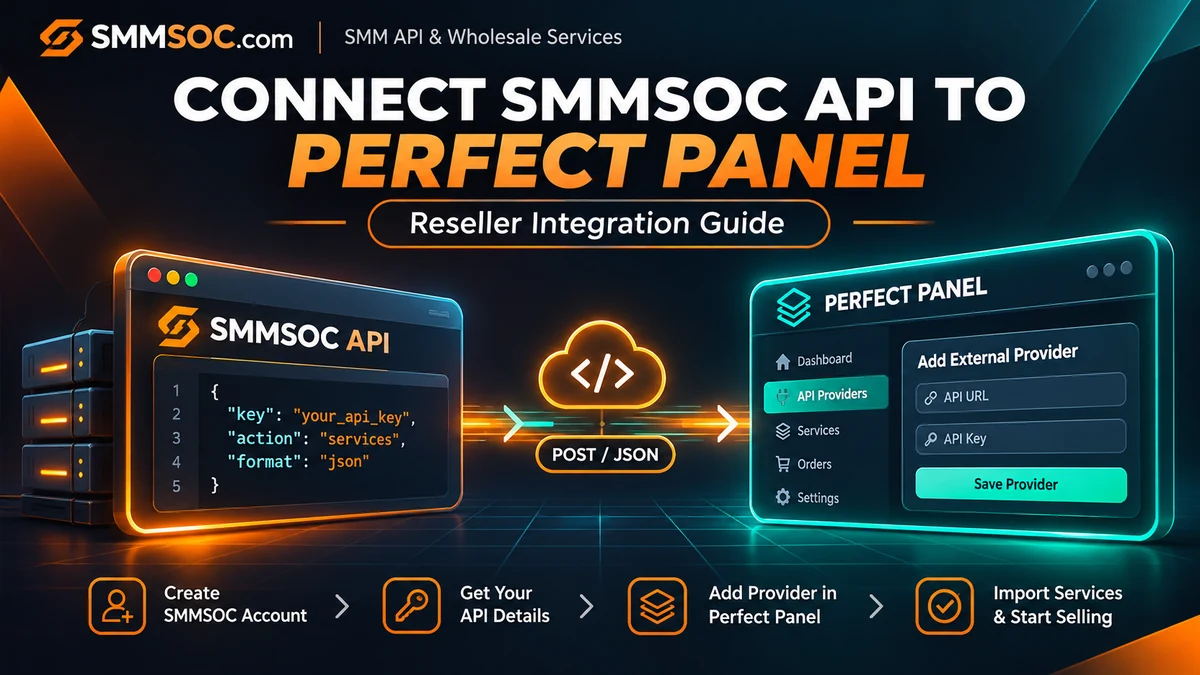
How to Connect SMMSOC API to Perfect Panel: Reseller Setup Guide
Already running an SMM reseller website on Perfect Panel and looking for another service supplier?
You may not need a new website, a different dashboard, or a custom ordering system. Perfect Panel supports connecting external service providers, while SMMSOC offers a documented API for service information, order submission, and order management.
The important step is confirming that your Perfect Panel account can connect to the SMMSOC provider API.
This guide walks through the process: checking provider compatibility, preparing an SMMSOC account, understanding the API settings, importing suitable services, and reviewing the connection before accepting customer orders.
Quick answer: To connect SMMSOC to Perfect Panel, first verify SMMSOC compatibility in Perfect Panel's provider directory. Obtain your SMMSOC API key, configure the provider using the requested connection details, and review the imported services and order-handling settings. If the provider is not supported yet, request an integration from Perfect Panel.
You can create an SMMSOC account and review the SMMSOC API documentation before starting.
Can You Use SMMSOC as a Provider in Perfect Panel?
Perfect Panel supports external SMM service provider integrations.
According to Perfect Panel's official documentation, panel owners can connect providers, import supported services, manage supplier balances, and route eligible orders through integrated APIs.
However, an external supplier having an API does not automatically mean its connection has already been configured in every Perfect Panel account.
Before proceeding, visit the official Perfect Panel Supported Provider APIs directory.
Search for:
smmsoc.com
If Perfect Panel confirms the provider is supported, follow the applicable provider configuration workflow in your admin dashboard.
If it is not listed as supported, contact Perfect Panel and request integration using the SMMSOC API documentation.
This compatibility check matters because it avoids promising an automatic connection before the provider integration is confirmed.
What You Need Before Starting
You should have access to two separate accounts.
An SMMSOC account: This provides access to the provider's account functions and associated API credentials.
A Perfect Panel administrator account: This is the reseller website where you intend to configure an external supplier.
You should also have access to the current API documentation and a secure location for storing credentials.
Do not share your provider API key with customers or publish it in website source code.
If other suppliers are already connected, record their current configuration before making changes.
That way, you can examine the SMMSOC connection without unnecessarily modifying existing supplier relationships.
Step 1: Create or Sign In to Your SMMSOC Account
Visit SMMSOC and sign in using your existing account.
If you are new to the platform, open the SMMSOC registration page.
The registration page provides fields for your username, email address, and password.
After creating an account, review the relevant account features and API information.
If you cannot locate your API key, use the official SMMSOC support channel to ask how your account's API credentials are accessed.
Why Use a Separate Supplier Account?
Your reseller website and your supplier account serve different purposes.
Perfect Panel manages your customer-facing operation.
SMMSOC is the external supplier you are evaluating for supported service and ordering functions.
Keeping these accounts separate helps distinguish customer transactions from purchases and charges associated with the external provider.
Ready to begin? Register with SMMSOC.
Step 2: Review the Official SMMSOC API Details
Before entering any information into Perfect Panel, verify the supplier's documented connection settings.
SMMSOC publishes the following API information:
API Endpoint: https://smmsoc.com/api/v2
HTTP Method: POST
Response Format: JSON
Authentication: API key.
The documentation includes operations for retrieving services, submitting orders, checking statuses, reviewing balances, and making supported refill or cancellation requests.
For example, the service-list operation uses:
Action: services
The API requires the account's API key to authenticate that request.
Other operations have different parameters. An order-submission request, for example, may require a Service ID, target link, quantity, and additional service-specific information.
Do not assume that all services use identical ordering fields.
Check the current SMMSOC API reference for the relevant action and parameters.
Step 3: Check SMMSOC Provider Compatibility in Perfect Panel
Before importing services, confirm whether Perfect Panel recognizes SMMSOC as a supported provider.
Perfect Panel maintains a public directory for checking provider integrations.
Visit:
Perfect Panel Provider Directory
Enter the provider domain:
smmsoc.com
If SMMSOC Is Supported
Use the existing provider connection process available in your Perfect Panel administration interface.
Follow the exact fields and instructions shown for that integration.
If SMMSOC Is Not Yet Supported
Request an external provider integration through Perfect Panel's official support process.
You can provide the public SMMSOC API endpoint and documentation.
Do not send your personal live API key in a public message or publish it in a forum.
Follow Perfect Panel's secure verification process if the support team needs credentials for integration testing.
Important Difference: Regular Panels and Child Panels
Perfect Panel has different panel configurations.
Its provider documentation distinguishes between regular panels, which can connect multiple external providers, and child panels, which may be restricted to their parent provider.
If you operate a child panel, check your account's configuration before expecting independent supplier connections.
Step 4: Add SMMSOC to the Provider Configuration
Once compatibility has been confirmed, open the provider management area in your Perfect Panel administrator dashboard.
The exact menu names can differ by platform version and account configuration.
You may see sections such as provider settings or external provider management.
Enter the supplier details requested by the interface.
Provider Name
Use a recognizable name, such as:
SMMSOC
This helps identify the supplier when reviewing provider connections and imported services.
Provider Domain or API Endpoint
This distinction is important.
The supplier's main website is:
https://smmsoc.com
The documented API endpoint is:
https://smmsoc.com/api/v2
These addresses are not interchangeable.
Some Perfect Panel integration forms identify a provider by its main website domain. Others may require an API endpoint through a provider-specific configuration.
Follow the field instructions for your actual Perfect Panel integration.
If the form specifically requests a provider domain, do not automatically replace it with an API path.
If it specifically requests the API endpoint, use the documented endpoint.
API Key
Enter the API key associated with your SMMSOC account, using the secure input provided by the administration interface.
Avoid copying the key into public documents, screenshots, customer messages, or client-side JavaScript.
Save the provider configuration according to the instructions shown in your Perfect Panel account.
Step 5: Verify the Connection Before Importing Services
After configuring the supplier, check whether the connection can retrieve the expected information.
A successful initial check might involve a service-list request or a balance inquiry, where the integration supports it.
SMMSOC documents both operations.
Service List
The services action retrieves available service information.
A documented service response may include:
- Service ID.
- Service name.
- Service type and category.
- Published rate.
- Minimum quantity.
- Maximum quantity.
- Refill availability.
- Cancellation availability.
Balance Inquiry
The balance action returns account balance information.
This can help confirm that the integration is communicating with the intended supplier account.
However, the specific checks performed through Perfect Panel depend on its provider integration.
A successful API response confirms communication for that operation; it does not guarantee future service fulfillment.
Avoid creating paid orders merely to test whether the API key is valid when read-only verification is available.
Step 6: Import the SMMSOC Services You Actually Need
Once the connection is working and service importing is supported, review the supplier's available catalog.
Perfect Panel offers provider service importing as part of its platform functionality.
However, importing every available listing is not necessarily the best choice for a reseller.
A service catalog can contain many categories, configurations, quantity restrictions, and conditions.
Select only the services that match your business requirements and comply with relevant platform policies.
Start With a Small Selection
For your initial setup, identify the categories that are relevant to your business.
Check the description of each listing rather than relying exclusively on its name or advertised rate.
Look for:
Service ID: The identifier used by SMMSOC for the selected listing.
Service Type: The configuration and required ordering parameters.
Rate: The current published wholesale price.
Minimum and Maximum: The allowed order quantities.
Refill: Whether replenishment is supported under published conditions.
Cancellation: Whether the relevant service allows supported cancellation requests.
Services with similar names may have different requirements.
Do not assume that a Service ID from another supplier corresponds to the same listing at SMMSOC.
For a detailed explanation of service terminology, read our SMM Service Labels Guide.
Step 7: Review Pricing Before Publishing Imported Services
Supplier prices and reseller prices are different.
SMMSOC publishes supplier-side rates for available listings.
Your Perfect Panel business determines its own customer-facing pricing according to its costs and commercial policies.
Before publishing an imported service, review the current wholesale rate and the quantity unit used.
Also consider payment costs, currency differences, support expenses, and other operating costs.
Example
Imagine a hypothetical service with a supplier rate of $0.60 per 1,000 units.
If the reseller lists it at $0.90 per 1,000 units, the difference is $0.30 per 1,000 units before other costs.
That difference is not the same as net profit.
Payment processing, operations, financial adjustments, and other business expenses can affect the final margin.
These numbers are illustrative and do not represent actual SMMSOC rates.
For a broader pricing framework, read our SMM Reseller Pricing and Profit Margins Guide.
Check for Future Price Changes
Supplier rates can change over time.
SMMSOC's published terms allow rate changes, and reseller catalogs should not assume that prices remain fixed indefinitely.
Use the available synchronization features where supported and verify the current supplier rates before making significant changes to customer listings.
Step 8: Review Order Routing and Status Tracking
A reseller integration involves more than making the supplier visible in your administrator dashboard.
You also need to understand how supported orders move between systems.
A typical flow involves a customer submitting a request, the reseller system validating it, and the configured provider connection sending the appropriate request to the supplier.
The provider may then return an order identifier.
Perfect Panel can use that identifier to track relevant information through the supported integration.
SMMSOC documents a status action for retrieving order information.
Its published response format may include:
- Order charge.
- Starting count.
- Current status.
- Remaining quantity.
- Currency.
What Should Be Verified?
Check that your panel correctly associates the customer order with the corresponding provider order.
Verify that the imported service points to the intended supplier listing.
Confirm that status updates are interpreted correctly.
An order marked Pending or In Progress should not be presented to the customer as Completed.
Likewise, a Partial status should not automatically be interpreted as successful full delivery.
For explanations of the possible order states, visit the SMMSOC Order Status Guide.
Prevent Duplicate Orders
If a request fails or times out, do not automatically assume the supplier rejected it.
An uncertain response may require checking whether the original request was accepted.
Submitting the same order again without verifying the previous result can create duplicate transactions.
A reseller should establish a process for reviewing uncertain submissions before retrying them.
Perfect Panel Integration Readiness Checklist
Use this checklist before enabling SMMSOC-backed services in your reseller catalog.
The checks cover account credentials, provider compatibility, API configuration, service selection, pricing, and order monitoring.
Complete the applicable checks and resolve any unsupported functionality before making services available to customers.
Troubleshooting SMMSOC and Perfect Panel Connection Problems
Integration problems often occur because the two systems are using different configuration details or expectations.
Before changing your entire supplier setup, identify the type of problem.
The Provider Is Not Recognized
Check whether smmsoc.com is supported in Perfect Panel's provider directory.
If support has not been confirmed, contact Perfect Panel about an external provider integration.
Do not assume that entering an API endpoint into an unsupported provider form is sufficient.
The API Key Is Rejected
Confirm that the key belongs to the intended SMMSOC account.
Check that it was copied correctly and entered through the secure field required by the integration.
Never disclose a live API key in a public support message.
The Service List Is Empty or Unavailable
First verify whether the connection is authenticated correctly.
Then confirm whether the provider integration supports service importing and whether the supplier's catalog is available to the account.
A temporary response issue should not automatically result in deleting existing service records.
The Imported Prices Look Incorrect
Check the currency and rate unit.
Then compare the imported information with the provider's current service listing.
Do not automatically publish unexpected price changes without reviewing their effect on your reseller catalog.
Orders Do Not Update as Expected
Check the relevant provider order identifier and the last confirmed status.
Review whether Perfect Panel is receiving the expected status information from the configured supplier integration.
If necessary, contact the appropriate support team with the relevant order details.
For SMMSOC support, visit the Contact page.
Why Connect SMMSOC Instead of Rebuilding Your Panel?
If you already operate a Perfect Panel reseller website, your existing storefront, customer management system, and business processes are valuable.
Adding a compatible supplier may allow you to expand or adjust the services available through the same operation without rebuilding your customer-facing site.
That does not mean every SMMSOC service should be imported or that the connection will meet every reseller's requirements.
The decision should be based on:
Catalog suitability: Are the services appropriate for your customers?
API compatibility: Is the provider integration supported by Perfect Panel?
Pricing: Are current rates suitable for your business model?
Order management: Can you track supported orders accurately?
Service conditions: Are refill, cancellation, and ordering restrictions understandable?
You can also evaluate SMMSOC as an additional supplier rather than immediately replacing an existing provider, provided your Perfect Panel configuration supports multiple providers.
Create an SMMSOC Account to examine the available platform features and API documentation.
Important Considerations for Resellers
API connectivity is not a guarantee of service quality, uninterrupted fulfillment, or permanent results.
A third-party SMM panel service may also be restricted or prohibited under the policies of the social media platform involved.
Resellers are responsible for understanding relevant rules, representing services accurately, and avoiding misleading claims about genuine engagement or guaranteed growth.
Before accepting orders, review the current SMMSOC Terms of Service.
Do not promise universal refill eligibility, guaranteed completion times, or cancellation rights that are not supported by the selected listing.
A responsible integration makes technical ordering and support information easier to manage while respecting applicable service conditions.
Frequently Asked Questions
Can I connect SMMSOC API to Perfect Panel?
SMMSOC provides a documented provider API, and Perfect Panel supports external supplier integrations. You must confirm whether smmsoc.com is supported in Perfect Panel's provider directory or request an integration if necessary.
What is the SMMSOC API URL?
The documented endpoint is https://smmsoc.com/api/v2. It uses HTTP POST and returns JSON responses.
Do I need coding knowledge to connect an API provider?
Perfect Panel provides administration features for connecting supported external suppliers. A custom or unsupported integration may require assistance from Perfect Panel's technical team.
Where can I find the SMMSOC API documentation?
The public API reference is available at smmsoc.com/api.
Can I import SMMSOC services into my existing reseller panel?
Perfect Panel supports service importing from integrated providers. Availability for SMMSOC depends on confirming and configuring the appropriate provider integration.
Can I use SMMSOC alongside another supplier?
Perfect Panel supports multiple external providers for applicable panel configurations. Child-panel arrangements may have additional restrictions.
Does SMMSOC API support order status checking?
Yes. SMMSOC documents a status action for individual and multiple-order status inquiries.
Will Perfect Panel automatically update every SMMSOC service price?
Synchronization capabilities depend on the provider integration and the relevant platform configuration. Review the available settings and confirm which fields are supported.
Is SMMSOC API integration free?
SMMSOC publishes its API documentation, while Perfect Panel describes external provider connections as included in its platform offering. Actual account costs, service purchases, and any integration-specific requirements should be checked with the respective providers. Do not assume that paid services or deposits are free.
How can I get help connecting SMMSOC?
For SMMSOC account or API questions, use the SMMSOC Contact page. For provider compatibility or Perfect Panel administration questions, consult Perfect Panel's official provider directory and its support team.
Start Using SMMSOC as Your Next API Supplier
If you are looking for an additional supplier for your existing Perfect Panel reseller business, start by verifying compatibility and reviewing the documented SMMSOC API.
You do not need to replace your entire reseller website simply to evaluate another supplier.
Instead, confirm the integration, examine relevant service listings, review the actual purchasing conditions, and determine whether the connection fits your business.
Review SMMSOC API Documentation
Check Perfect Panel Provider Support
Start with verified information, configure the provider carefully, and build your reseller workflow around the services and conditions that actually meet your requirements.