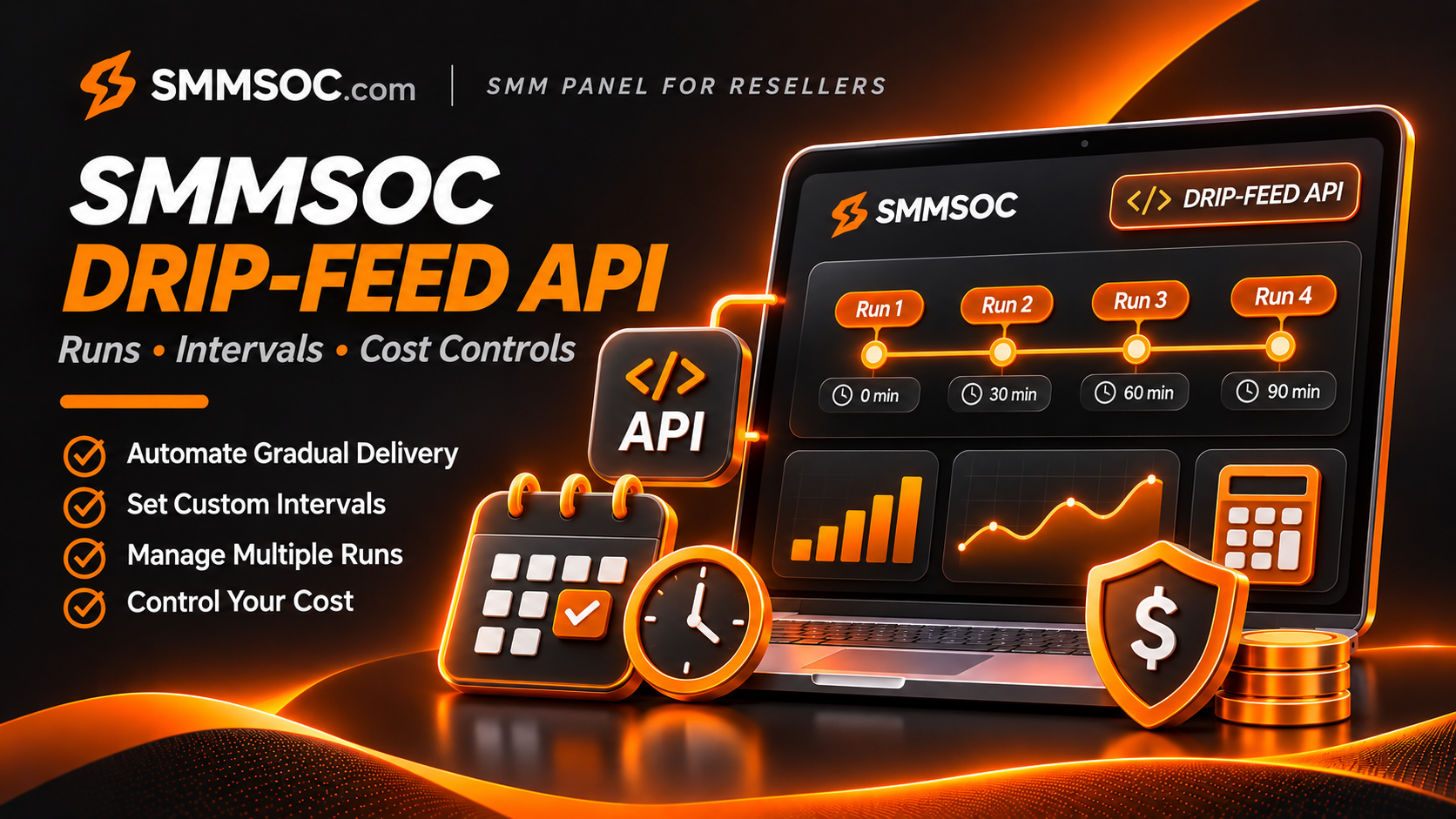
SMMSOC Drip-Feed API: Runs, Intervals & Cost Controls for Resellers
Managing orders through an SMM panel API is not always as simple as selecting a service and entering a quantity.
Some supported services offer an additional scheduling option known as drip-feed, which divides a request into multiple runs separated by specified intervals.
For established SMM resellers, this introduces an important operational challenge: the number entered in the quantity field may not represent the entire scheduled order.
Confusing the quantity per run with the total requested quantity can lead to unexpected charges, incorrect customer quotations, and difficult order-management situations.
SMMSOC advertises Drip-feed functionality and documents runs and interval parameters in its reseller API.
This guide explains the relevant API fields, the calculations resellers should understand, the service restrictions that require verification, and the controls businesses can build around supported scheduled orders.
The focus is practical supplier integration—not promises of artificial engagement, guaranteed platform growth, or methods of avoiding social platform enforcement.
What Is Drip-Feed in an SMM Panel?
Drip-feed is an order-scheduling feature that divides a supported request into multiple planned batches.
Instead of requesting an entire amount through a single delivery operation, the order can be configured with a number of runs and a time interval.
Three terms are central to the process.
Quantity describes the amount associated with the order configuration.
Runs describes how many scheduled batches the configuration requests.
Interval describes the time gap, generally expressed in minutes, between scheduled runs.
In many standard SMM API implementations, quantity represents the amount per run. That means the requested total is calculated by multiplying quantity by runs.
However, developers should confirm the quantity semantics and limits for the specific SMMSOC service before using this assumption in a paid order.
Not every service supports drip-feed, and the existence of optional API parameters does not establish universal availability.
Does SMMSOC Support Drip-Feed?
Yes. SMMSOC's public website lists Drip-feed among its panel features.
Its published API documentation also describes optional scheduling parameters under supported order configurations.
The technical interface includes:
- API endpoint:
https://smmsoc.com/api/v2 - HTTP method: POST
- Response format: JSON
- Authentication: Private API key
- Order action:
add - Optional scheduling fields:
runsandinterval
These fields provide a documented interface for compatible service configurations.
The important qualification is that support depends on the individual service.
A reseller should check the selected service description and obtain clarification when its scheduling behavior is not explicitly documented.
For the current API specification, visit SMMSOC API Documentation.
Understanding SMMSOC Drip-Feed API Parameters
The SMMSOC API documents standard order fields alongside optional scheduling parameters.
For a compatible service configuration, an order request can use the relevant parameters to describe its intended schedule.
SMMSOC Drip-Feed API Parameter Checklist
These parameters are useful for describing a scheduled request, but they do not override service-level restrictions.
Why the Service ID Matters
SMMSOC uses service identifiers to distinguish individual catalog entries.
Two listings within the same social media category may have different requirements.
One may support standard ordering while another may support a specialized configuration.
A reseller should never assume drip-feed availability solely because the service belongs to a particular platform.
When importing the SMMSOC catalog, preserve the exact supplier service ID alongside the reseller's internal product identifier.
Why the Target Link Matters
The required link depends on the selected service.
An incorrect or unsupported URL may cause a request to be rejected.
Before submitting a scheduled order, validate the intended target and ensure the customer has authority to use the relevant service.
How Quantity, Runs and Interval Affect an Order
The most common drip-feed misunderstanding concerns total quantity.
Consider a hypothetical configuration with:
Quantity: 200
Runs: 5
Interval: 60 minutes
Under the common per-run quantity model, this configuration requests 200 units in each of five runs.
The planned total is:
200 × 5 = 1,000 units
It does not represent an order totaling 200 units.
The interval defines the requested spacing between scheduled runs. It does not independently change the total quantity.
This example describes the common SMM API model, not a confirmed live SMMSOC service or an authorized purchase recommendation.
Illustrative Drip-Feed Quantity and Cost Scenarios
These calculations assume a per-run quantity model and a hypothetical $0.50 rate per 1,000 units. They are not live SMMSOC quotations or confirmation that these configurations are supported.
The table shows how dramatically the requested total can change when the number of runs increases.
Before any paid submission, verify the selected service's actual pricing unit, total quantity calculation, supported parameters, and final charge.
How to Calculate the Estimated Drip-Feed Cost
For a service using the common per-run model and a rate quoted per 1,000 units, the general calculation is:
Total planned quantity = Quantity per run × Number of runs
The estimated supplier charge is then:
Estimated cost = Total planned quantity × Supplier rate ÷ 1,000
Suppose a hypothetical service has:
- Quantity per run: 150
- Runs: 8
- Supplier rate: $0.80 per 1,000 units
The planned quantity would be:
150 × 8 = 1,200 units
The estimated supplier cost would be:
1,200 × $0.80 ÷ 1,000 = $0.96
This calculation excludes any additional fees, special service pricing rules, or adjustments.
It should not be applied to package-priced services without confirming how their charges work.
Why This Matters for Reseller Profit Margins
An established reseller may display one retail price to its customer while paying a separate supplier charge.
If its internal software treats 150 as the total quantity but the supplier calculates 1,200 units, the cost estimate may be substantially incorrect.
This can create unexpected expenses even when the customer-facing price remains unchanged.
A safe billing design should calculate the complete planned quantity before confirming an eligible order.
For broader pricing methodology, read the SMMSOC Reseller Pricing Guide.
How Does the Drip-Feed Interval Work?
The interval parameter represents the requested spacing between scheduled batches.
In the documented SMMSOC API, the interval is expressed in minutes.
For example, an interval of 60 represents one hour between planned runs.
A larger interval creates greater planned spacing.
However, it is important to distinguish between a configured interval and actual fulfillment timing.
A scheduled interval is not a guarantee that delivery will complete within that period.
Actual processing may depend on:
- The selected service's supported configuration
- Supplier processing conditions
- Service availability
- The order's accepted schedule
- Platform or target restrictions
- The provider's operational queue
A reseller should therefore avoid converting a configured schedule into an unconditional completion promise.
Does a Longer Interval Reduce Cost?
Not automatically.
Under the common per-run model, total requested quantity depends on quantity and runs.
Changing only the interval changes the intended schedule, not the planned number of units.
Any effect on price must be checked against the actual service conditions.
Does Drip-Feed Guarantee Smooth Results?
No.
A configured schedule does not establish the exact time each batch will start or finish.
It also does not guarantee retention, authentic engagement, platform approval, or lasting results.
How to Evaluate Drip-Feed Services on SMMSOC
Before connecting a scheduling feature to your own reseller website, examine the selected service.
Step 1: Review the SMMSOC Service Catalog
Open SMMSOC Services and locate the relevant category.
Read the exact service description rather than assuming that all listings share the same scheduling capabilities.
Step 2: Confirm Drip-Feed Compatibility
Determine whether the selected service supports runs and intervals.
If the service description is ambiguous, request clarification before enabling scheduled ordering on your storefront.
Step 3: Verify Quantity Semantics
Check whether the service interprets quantity per run or as the overall requested amount.
This detail directly affects the total quantity and estimated cost.
Step 4: Verify Service Limits
Review the minimum quantity, maximum quantity, allowed run count, and interval restrictions when available.
The published catalog's min and max fields do not necessarily explain every scheduling-specific restriction.
Step 5: Evaluate the Fulfillment Method
A service should not be selected purely because it offers gradual scheduling.
The nature of the underlying activity matters.
Paid artificial engagement may violate the policies of the destination platform even when divided into multiple batches.
Step 6: Compare the Expected Charge
Calculate the estimated cost using the verified configuration.
Do not submit a paid request when the total quantity or charging method remains unclear.
Step 7: Preserve the Accepted Order Reference
For an eligible order accepted through the API, store the returned provider order ID.
This identifier is needed for subsequent order management and customer-support records.
Using the SMMSOC API in an Existing Reseller Panel
For businesses already operating their own SMM panel, SMMSOC can be evaluated as an upstream provider.
Its documented API supports service retrieval, supported order submission, status checks, balance inquiries, and eligible refill or cancellation requests.
The reseller remains responsible for its own customer accounts, retail pricing, software configuration, and operational controls.
Importing Service Information
The services action retrieves the published supplier catalog.
A standard service response can include:
servicenamecategorytyperateminmaxrefillcancel
These fields help resellers map supplier products into their own catalogs.
However, the published example service-list response does not guarantee that a dedicated drip-feed capability flag is present for every listing.
Do not infer scheduling compatibility from an undocumented response field.
Validating Scheduling Requests
Before submitting a compatible request, a reseller backend should validate the selected service ID, destination, quantity, run count, interval, and estimated charge.
The application should also confirm that the intended operation is permitted and appropriate.
Where a service's limits are uncertain, the safest option is to request clarification rather than guess.
Saving Scheduled Order Details
An internal record may include the customer order ID, SMMSOC service ID, quantity configuration, runs, interval, calculated total, estimated supplier cost, and accepted supplier order ID.
This gives customer support and administrative teams a clearer explanation of what was originally requested.
The record should distinguish the planned schedule from the actual supplier response.
Tracking a Scheduled Order Through the SMMSOC API
SMMSOC documents an order-status operation using:
action=status
For an accepted order, the API can return information such as the recorded charge, starting count, current status, remaining quantity, and currency.
SMMSOC also supports multiple-order status requests using up to 100 comma-separated order IDs.
This is useful for resellers monitoring a larger order queue.
However, the published order-status example does not include a dedicated run-by-run timeline.
Resellers should not claim that the API exposes individual run completion events unless those details are documented and available for the selected service.
Track the Correct Order ID
A reseller's internal customer order number may differ from the supplier order number.
Store the mapping carefully.
An error in the ID mapping can cause status information to appear against the wrong customer request.
Handle Incomplete or Unexpected Responses
A status request may return an error.
This does not necessarily mean the original order has been canceled or refunded.
Keep the last verified information and investigate the actual response.
For general order-status explanations, read the SMMSOC Order Status Guide.
Common Drip-Feed Integration Mistakes
Confusing Per-Run Quantity With Total Quantity
This is one of the most expensive potential errors.
If the supplier uses a per-run model, multiplying the configured quantity by the number of runs is essential.
Assuming Every SMMSOC Service Supports Drip-Feed
Optional API parameters do not establish compatibility across the entire catalog.
Verify support for each selected listing.
Ignoring Interval Restrictions
A service may reject unsupported scheduling values.
Do not invent a universal minimum or maximum interval for SMMSOC services.
Treating a Schedule as Guaranteed Delivery
A configured interval indicates a scheduling request, not a guaranteed processing timeline.
Failing to Check the Supplier Balance
A reseller may have insufficient supplier credit for an eligible planned order.
Use the documented balance action to retrieve account balance information when appropriate.
Automatically Retrying Timed-Out Orders
If the network connection fails after an order submission, the request may still have been accepted.
Automatically sending it again could produce a duplicate.
An uncertain submission should be investigated before any retry.
Assuming Drip-Feed Makes Artificial Engagement Acceptable
Breaking artificial engagement into smaller batches does not change its underlying nature.
Relevant platform rules still apply.
Forgetting Service-Specific Refill and Cancellation Conditions
The availability of a scheduling feature does not automatically create refill or cancellation rights.
Those depend on the actual service and order conditions.
Drip-Feed vs. Mass Order on SMMSOC
SMMSOC lists both Drip-feed and Mass Order among its panel features.
Although they can both be relevant to business users, they serve different operational purposes.
Drip-feed concerns the scheduling of repeated runs for a compatible service request.
Mass Order concerns handling multiple supported orders.
The two functions should not be described as interchangeable.
For a reseller operating an existing panel, this difference matters when designing customer-facing forms and supplier integrations.
A scheduled request should retain its run and interval configuration, while a batch of separate orders requires accurate references for each individual request.
Neither feature removes the requirement to validate the selected service.
Can Drip-Feed Improve Social Media Growth?
A scheduling feature should not be confused with a strategy for acquiring an authentic audience.
Changing the timing of purchased activity does not establish that it comes from real, interested users.
Platforms including Facebook and YouTube restrict artificial engagement and manipulation of popularity metrics.
For example, Meta has publicly discussed reducing the distribution and monetization of accounts attempting to manipulate engagement.
YouTube likewise prohibits artificial increases in platform metrics.
A reseller should therefore avoid claims that drip-feed makes prohibited engagement undetectable, compliant, or guaranteed to improve recommendations.
For legitimate marketing campaigns, long-term performance is better evaluated through genuine audience interest, retention, relevant traffic, and meaningful conversions.
Consult the official Meta announcement on spam and engagement manipulation for additional context.
Why SMMSOC Is Relevant to API Resellers
A reseller evaluating an upstream provider typically needs more than a low-price service list.
The business also needs clear technical documentation, service identifiers, an order-management process, and a way to understand supplier conditions.
SMMSOC offers:
- A multi-platform service catalog
- Published supplier rates
- API access for compatible integrations
- Supported order and status operations
- Account balance inquiries
- Documented refill and cancellation request functions
- Drip-feed capability for applicable service configurations
These features give existing panel operators a central place to evaluate several supplier requirements.
For a reseller considering scheduled orders, the presence of documented runs and interval parameters is particularly relevant.
Still, the best next step is to verify which current services support the functionality and what their precise conditions are.
The platform should be assessed using its live catalog and actual documentation rather than assuming universal availability.
Read the SMMSOC API Integration Guide for a broader technical introduction.
Checklist Before Enabling Drip-Feed in Your Reseller Panel
Before offering a scheduled service through a reseller storefront, verify the following:
- The selected SMMSOC service explicitly supports drip-feed.
- The service ID matches the intended supplier listing.
- The accepted destination format is documented.
- The meaning of the quantity field is confirmed.
- The requested run count is supported.
- The requested interval is allowed.
- The planned total quantity is calculated correctly.
- The estimated supplier charge is understood.
- Relevant platform policies have been considered.
- The account has sufficient supplier credit.
- API credentials remain secure on the backend.
- The accepted supplier order ID is stored.
- Uncertain submissions are investigated before retrying.
- Customer-facing descriptions do not promise unsupported results.
These checks are particularly important for businesses processing many customer requests through automated integrations.
Frequently Asked Questions
What is drip-feed in an SMM panel?
Drip-feed is an order-scheduling option that separates a supported request into multiple planned runs with defined time intervals.
Does SMMSOC support drip-feed?
Yes. SMMSOC advertises Drip-feed functionality, and its API documents optional runs and interval parameters for applicable service configurations.
What does the runs parameter mean?
It represents the number of scheduled runs requested under a compatible drip-feed configuration.
What does interval mean in the SMMSOC API?
The documented interval parameter specifies a scheduling interval in minutes.
Is quantity per run or total quantity?
Many standard SMM API implementations use quantity per run. However, the precise semantics should be confirmed for the selected SMMSOC service before placing a paid order.
Can every SMMSOC service use drip-feed?
No. Scheduling compatibility depends on the individual service and its current conditions.
Does using more runs increase the price?
In the common per-run model, more runs at the same quantity increase the total requested units and therefore the estimated cost. Actual charges depend on the supported service's pricing rules.
Does drip-feed guarantee delivery at exact intervals?
No. The configured interval does not independently guarantee the completion time of each scheduled batch.
Can an existing SMM reseller panel integrate with SMMSOC?
SMMSOC provides a documented API that compatible reseller software can use for supported operations. The reseller's own software must handle its storefront, customer records, pricing, and scheduling validation.
Does drip-feed guarantee authentic followers or views?
No. Scheduling does not establish authenticity, audience interest, compliance, retention, or marketing results.
Final Thoughts: Evaluate SMMSOC Drip-Feed With Accurate Cost Controls
Drip-feed is a useful feature to understand when reviewing an SMM provider's order-management capabilities.
For established resellers, its most important technical considerations include supported service types, the meaning of quantity, run counts, scheduling intervals, and the cost of the complete request.
SMMSOC provides documented scheduling parameters through its reseller API, alongside service retrieval, order tracking, and other supported integration functions.
These capabilities make SMMSOC relevant for businesses evaluating an API-based supplier connection.
The practical approach is to confirm the selected service's actual conditions, validate the complete order configuration, and maintain accurate supplier records.
A well-designed reseller integration should prioritize predictable costs, transparent service descriptions, secure credentials, and responsible operation.
Research references: SMMSOC official website and API documentation; SMMSOC API Integration Guide; Meta's public guidance on spam and engagement manipulation. Quantity and cost scenarios are hypothetical. No live service-specific drip-feed transaction was performed or verified for this article.