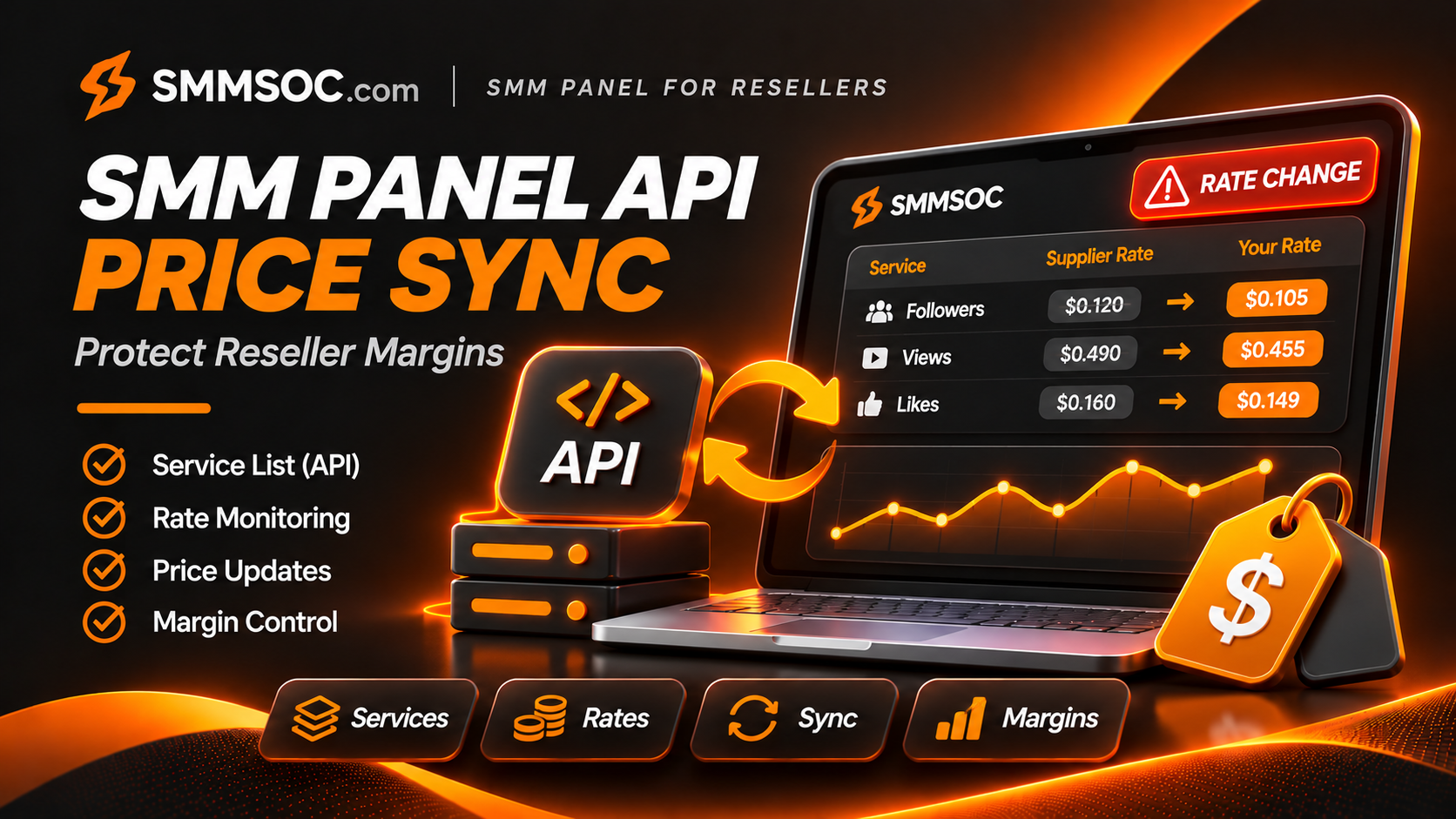
SMM Panel API Price Sync: Protect Reseller Margins with SMMSOC
Your reseller panel can accept an order at the price you advertised yesterday, even when your supplier has increased its rate today.
The order may process normally. The customer may see nothing unusual. But the difference between your selling price and your supplier cost can become much smaller—or disappear completely.
For established SMM resellers, this is why SMM panel API price synchronization matters.
A reliable reseller operation needs more than a connection that sends orders to a supplier. It also needs a process for checking current service rates, detecting catalog changes, and protecting customer-facing prices.
SMMSOC provides a documented reseller API with service-list and pricing fields that businesses can use to build these controls.
This guide explains how the SMMSOC service API works, how to identify meaningful price changes, and how to manage those changes without blindly copying wholesale prices into your storefront.
What Is SMM Panel API Price Synchronization?
SMM panel API price synchronization is the process of comparing supplier service prices with the rates stored in a reseller's own catalog.
Instead of maintaining every wholesale cost manually, a reseller can retrieve supplier data through an API and check whether anything has changed.
The most important information normally includes:
- The supplier's service ID
- The current service rate
- Minimum and maximum quantities
- Service type and category
- Available refill and cancellation options
- Whether the service is still included in the supplier's catalog
A reseller can use this information to review its customer-facing listings and determine whether adjustments are necessary.
However, there is an important distinction.
Retrieving current SMMSOC prices through its API is a documented capability. Automatically changing your own retail prices requires logic in your reseller software.
The SMMSOC API supplies relevant data; the reseller decides how to use it.
Why Supplier Price Changes Matter to Resellers
A supplier's published rates are not necessarily permanent.
Prices can change because of catalog adjustments, operating costs, provider availability, or other business conditions.
For a reseller selling services under its own brand, these changes can create a financial problem.
Imagine that your storefront lists a service at $0.80 per 1,000 units.
Your previous supplier cost was $0.40 per 1,000.
If the supplier increases that rate to $0.65 while your retail price stays at $0.80, your gross margin falls substantially.
You are still earning revenue, but far less remains after the direct supplier cost.
A reseller managing hundreds of active listings may not notice this change immediately.
Three Problems Caused by Outdated Supplier Prices
Reduced margins: The service remains available, but each order contributes less gross profit.
Unprofitable listings: A large increase can push the supplier cost above the reseller's selling price.
Incorrect customer expectations: Retail listings may show outdated quantities, refill terms, or other service conditions.
This is why price synchronization should involve both financial calculations and catalog validation.
A low supplier rate is valuable, but it becomes more useful when the reseller has a process for keeping its own catalog accurate.
How the SMMSOC API Provides Service Pricing Data
SMMSOC offers a documented API for reseller integrations.
Its published technical details include:
API endpoint: https://smmsoc.com/api/v2
HTTP method: POST
Response format: JSON
Authentication: Private API key
Service catalog operation: action=services
The services operation returns an array containing information about available supplier services.
This allows a compatible reseller backend to retrieve current published service information without manually copying every listing.
SMMSOC API Fields Used for Price Synchronization
These fields are shown in SMMSOC's official API documentation.
They give reseller applications the information needed to detect many important supplier-side changes.
However, the API response does not automatically explain why a price changed or whether a replacement service is equivalent.
Those decisions require additional verification.
See the SMMSOC API Documentation for the currently published response format.
How to Synchronize SMMSOC Prices With Your Reseller Panel
A dependable integration should follow a controlled process rather than replacing the entire storefront catalog with every supplier update.
Step 1: Retrieve the Supplier Service List
The reseller's backend sends an authenticated request using the documented services action.
The returned catalog provides service IDs and current published rates.
The application should verify that the response is valid before using it.
An empty or incomplete response caused by a network error should not automatically result in removing all customer-facing services.
Step 2: Match Supplier IDs to Your Own Products
A reseller may use different internal product IDs from those assigned by SMMSOC.
For example, your storefront could identify an imported service as product 120 while the supplier uses an entirely different service ID.
Maintain an explicit mapping between the two.
This ensures that a price change for one supplier service is not accidentally applied to an unrelated storefront product.
Step 3: Compare New and Previous Rates
For each mapped service, compare the newly retrieved supplier rate with the last verified rate stored in your database.
A comparison can identify:
- Unchanged prices
- Price increases
- Price decreases
- Newly available listings
- Missing supplier services
- Changes to quantity limits or features
Store the time of the successful synchronization.
This helps administrators understand whether the data is current or potentially outdated.
Step 4: Calculate the Impact on Retail Pricing
A supplier price increase does not necessarily require the same percentage increase in the selling price.
The correct adjustment depends on the reseller's own pricing model, fees, support costs, and customer agreements.
Before updating a retail listing, calculate the expected margin using the latest provider cost.
This identifies services that need attention without automatically rewriting every selling price.
Step 5: Apply Pricing Rules
Reseller software can be designed to respond according to predefined business rules.
For example:
- Keep the retail price unchanged if the updated margin remains acceptable.
- Flag a listing for review if its margin falls below the business's minimum.
- Temporarily pause new sales if the service no longer meets required conditions.
- Recalculate the selling price when automatic repricing has been explicitly enabled.
These are recommended reseller-side controls, not guaranteed native features of SMMSOC.
Step 6: Review Service Restrictions
Price is only one part of the supplier's listing.
A service may also have changed its minimum quantity, maximum quantity, refill availability, or cancellation options.
A reseller should review these fields before continuing to advertise the same conditions.
Step 7: Save a Synchronization Record
Record the result of the comparison.
A useful internal log includes the supplier service ID, previous rate, new rate, time of retrieval, and any action taken.
This record can help explain unexpected pricing changes and resolve administrative questions later.
Example: How a Supplier Rate Increase Changes Your Margin
The following scenario demonstrates why checking rates is essential.
All amounts are hypothetical and do not represent a live SMMSOC price.
Before and After a Supplier Price Change
The supplier price has increased by 62.5%.
Because the reseller's customer price remains unchanged, the gross margin falls from 50% to 18.75%.
The order is still above direct supplier cost, but the business now has much less room to cover payment fees, support, infrastructure, and other expenses.
What Selling Price Would Restore a 30% Gross Margin?
Using the new supplier cost:
Required retail price = Supplier cost ÷ (1 − Target gross margin)
For this hypothetical example:
$0.65 ÷ 0.70 = $0.9286
Rounded upward to the nearest cent, the reseller would need approximately $0.93 per 1,000 units to exceed a 30% gross margin before additional expenses.
This does not mean every reseller should use a 30% margin.
The appropriate target varies by business and service.
The example simply shows why automatic supplier-rate monitoring matters.
For a more complete explanation of pricing calculations, read the SMMSOC Reseller Pricing and Profit Margin Guide.
Real SMMSOC Catalog Example: Service IDs Matter
A public SMMSOC service snapshot indexed by SMMFAQ illustrates why resellers should compare individual service IDs, not only category names.
In the November 2026 snapshot, two TikTok Video Save listings appeared with different supplier IDs:
Service 2262 was listed at approximately $0.0001 per 1,000 units, with refill marked as unavailable.
Service 2263 was listed at approximately $0.0002 per 1,000 units, with refill marked as available.
Both were in the broader TikTok Save category, but their published conditions differed.
These are historical third-party catalog observations, not guaranteed current prices or verified service-performance results.
They also represent two different listings, not evidence that one service changed price.
This distinction is crucial when building a synchronization system.
A reseller should not substitute one service for another merely because both have a similar name or belong to the same category.
The correct mapping must preserve the service ID and any relevant differences in conditions.
You can review current listings through SMMSOC Services.
Why Automatic Price Sync Should Not Mean Blind Repricing
A common mistake is copying the supplier's wholesale rate directly into the reseller's retail price field.
That can remove the intended markup.
For example, if the provider rate is $0.50 per 1,000 units and the reseller intends to sell the service at $0.90, directly mirroring $0.50 into the storefront could eliminate much of the business's expected revenue.
A proper reseller integration separates two values:
Supplier rate: The cost returned by the SMMSOC API.
Retail price: The amount the reseller chooses to charge its customers.
The retail price may be calculated from the supplier cost, but it should remain subject to the reseller's own pricing rules.
Use a Minimum Margin Rule
One useful safeguard is a minimum acceptable gross margin.
If a new supplier rate causes the calculated margin to fall below the configured threshold, the system can flag the product for review.
The reseller can then decide whether to raise the retail price, select another suitable offering, or temporarily stop selling that listing.
Avoid Automatic Changes to Customer Commitments
A customer may have already received a quote or paid for an order.
A supplier price update should not silently rewrite an accepted customer transaction.
Resellers should maintain a record of the price quoted to the customer and the supplier cost applicable to that order.
Review Unexpectedly Large Price Changes
An unusually large rate change should trigger additional validation.
The problem might be a genuine supplier update, a service replacement, a currency mismatch, or a parsing error.
Blindly publishing a major change could create incorrect customer-facing prices.
What Happens When an SMMSOC Service Disappears?
A supplier catalog can change over time.
An item previously included in the services response may no longer appear.
That does not necessarily establish whether the disappearance is temporary or permanent.
For a reseller, the safest approach is usually to distinguish catalog visibility from historical order records.
Preserve Existing Order History
Do not erase a supplier service mapping merely because it no longer appears in a new catalog response.
Older orders may still reference that service ID.
Deleting its mapping can make support and reconciliation harder.
Review the Listing's Availability
If the supplier no longer publishes the service, the reseller can flag it as unavailable for new orders pending verification.
The reseller should avoid continuing to sell a service based only on stale cached information.
Avoid Automatic Replacement
A new service with a similar name may have different rates, limits, or delivery conditions.
Any replacement should be reviewed before it is mapped to the old storefront product.
This is especially important when the service's refill or cancellation availability differs.
How Often Should an SMM Reseller Sync Prices?
There is no universal refresh interval suitable for every business.
The appropriate frequency depends on customer order volume, catalog size, infrastructure, and any limits imposed by the supplier API.
A low-volume reseller may manage its catalog with relatively infrequent checks.
A higher-volume operation may need more frequent reviews, particularly for services that receive regular orders.
As an illustrative configuration, an operator might begin with scheduled catalog checks every 30 to 60 minutes.
This is a suggested reseller-side schedule, not an official SMMSOC synchronization frequency or published API limit.
Check Prices Before Significant Orders
A useful additional safeguard is verifying the relevant supplier rate before accepting or submitting a significant order.
This reduces the risk of relying on a price retrieved much earlier.
However, a rate check does not reserve that price.
The supplier's final accepted charge and any applicable conditions still need to be handled appropriately.
Do Not Overload the API
Avoid unnecessarily frequent requests.
A better design uses controlled scheduling, caching, sensible retry behavior, and appropriate error handling.
Always follow any applicable API restrictions.
Handling API Failures During Price Synchronization
Not every failed request indicates a genuine supplier change.
Network timeouts, authentication problems, unexpected responses, or temporary connectivity failures can all interrupt synchronization.
A reseller should handle these events separately from actual catalog updates.
Failed Requests
If a request fails, record the error and avoid overwriting validated catalog data with invalid values.
Empty Responses
Do not automatically interpret a suspiciously empty response as proof that every service has been removed.
Investigate whether the request or processing failed.
Authentication Errors
Review API credentials securely.
Never expose the API key through public frontend code, application screenshots, or shared support messages.
Suspicious Values
Validate rates, quantities, service IDs, and supported field types before applying updates.
Negative prices, malformed values, or unexpected data structures should trigger an exception rather than being published to customers.
Audit Logging
Keep records of failed synchronization attempts and successful updates.
Avoid logging private API keys or other sensitive information.
How SMMSOC Supports Existing SMM Reseller Businesses
SMMSOC can be evaluated as an upstream supplier by businesses that already operate SMM panels or digital service storefronts.
Its published API supports service-list retrieval, order submission, order-status inquiries, balance checks, and supported refill and cancellation requests.
This means an existing reseller can use a single documented supplier interface for several operational tasks.
The services response is particularly important for businesses seeking to maintain consistent catalog information.
A reseller can build its own backend workflow around this data, including:
- Detecting rate changes
- Updating internal supplier cost records
- Reviewing retail profit margins
- Tracking service availability
- Validating order quantity limits
- Maintaining service-specific terms
These are examples of processes that compatible reseller software can implement using the available data.
They should not be mistaken for turnkey automatic repricing or monitoring features guaranteed by SMMSOC itself.
Evaluating SMMSOC's Pricing
SMMSOC publishes service rates through its catalog and API.
These rates can be compared with other suppliers for services with equivalent specifications.
However, choosing a supplier based only on the lowest number can be misleading.
Service type, quantity limits, refill eligibility, fulfillment methods, and the policies of the relevant social platform should also be considered.
To explore supplier selection and catalog planning, see Wholesale SMM Services for Resellers.
A Practical Price Synchronization Checklist
Before deploying an automated pricing process, make sure your reseller system can answer these questions:
- Does the application retrieve SMMSOC service data through an authenticated backend request?
- Are supplier IDs mapped correctly to internal products?
- Are the supplier cost and customer selling price stored separately?
- Does the system record the last successful synchronization?
- Are rate changes compared against previous verified values?
- Is there a defined minimum acceptable margin?
- Do unusual changes require additional validation?
- Are quantity-limit changes detected?
- Are refill and cancellation changes reviewed?
- Are missing services handled without deleting order history?
- Are accepted customer prices preserved?
- Can administrators review the history of changes?
These checks help turn a basic API connection into a more dependable supplier-management workflow.
Frequently Asked Questions
What is SMM panel API price sync?
It is the process of retrieving current supplier service rates through an API and comparing them with the costs and prices stored in a reseller's own system.
Does SMMSOC provide service prices through its API?
Yes. SMMSOC's official API documentation includes the services action, which returns service information including published rates, quantity limits, and other fields.
Does SMMSOC automatically change prices on my reseller panel?
The SMMSOC API provides catalog data. Automatic updates to your own storefront depend on the capabilities and configuration of your reseller software.
Can supplier price changes affect reseller profits?
Yes. If the supplier increases its rate while the reseller keeps the same selling price, the gross margin generally decreases.
Should resellers update retail prices after every API sync?
Not necessarily. A reseller should compare the new supplier costs with its pricing rules and decide which listings require adjustments.
How often should a reseller check SMMSOC prices?
The frequency should reflect order volume, operational needs, and applicable API restrictions. There is no single interval suitable for every reseller.
Can service conditions change without a price change?
Yes. Quantity limits, published descriptions, service configurations, and available refill or cancellation options can change independently of the rate.
What should happen if a service is no longer listed?
The reseller can flag it for review or prevent new sales while preserving previous order records. A replacement should not be selected solely by matching the service name.
Is a low wholesale price enough to choose a supplier?
No. Resellers should review comparable service specifications, delivery methods, restrictions, customer requirements, and financial risks.
Can SMMSOC work with an existing reseller platform?
SMMSOC offers a documented API that compatible reseller software can integrate with. Actual compatibility depends on the reseller platform and its configuration.
Final Thoughts: Keep Your SMMSOC Supplier Costs Under Control
A successful SMM reseller operation depends on more than offering attractive prices.
It also requires knowing when supplier costs change and ensuring that customer-facing listings remain financially and operationally appropriate.
SMMSOC provides documented service and pricing data through its reseller API, giving compatible businesses a foundation for building catalog synchronization workflows.
By combining current supplier rates with accurate service mapping, margin checks, controlled updates, and reliable recordkeeping, resellers can reduce the risk of selling against outdated costs.
The goal is not to copy every supplier change automatically.
It is to use verified supplier information to make better pricing decisions.
If you operate an existing reseller panel and want to evaluate SMMSOC as a service provider, start by reviewing its catalog and published API documentation.
Technical references: SMMSOC official API documentation; SMMSOC API Integration Guide; SMMFAQ SMMSOC provider catalog snapshot, November 2026. Numerical pricing scenarios are illustrative and do not represent live SMMSOC quotations. Service availability, prices, and conditions can change.